

Elementor does most of the design work on your site. You drag in sections, style your headings, build your header in the Theme Builder, and publish. So why does the theme still matter?
Because the theme is the foundation everything else sits on. It decides how fast your pages load before Elementor adds a single widget, which areas of the site Elementor can actually control, and what happens to the pages Elementor does not touch, like your blog archive, search results or WooCommerce checkout. A heavy or poorly coded theme can fight Elementor at every step. A good one stays out of the way and fills the gaps.
That is why “which theme should I use with Elementor?” is one of the most common questions new Elementor users ask. The good news: the best options are free to start, and several of them are among the most popular themes on WordPress.org.
Below are the 10 best Elementor themes worth your time, with install counts, ratings and pricing checked in October 2026. We focused on themes you can download from WordPress.org, so you can test each one before paying for anything.
All ratings and install counts below are from WordPress.org, checked in October 2026.
Best Elementor Themes at a Glance
|
# |
THEME |
FREE VERSION |
RATING |
DETAILS |
|---|---|---|---|---|
|
1 |
Hello Elementor ★ Best for Elementor Pro users |
✓ Yes |
★ 4.2/5 WordPress.org | |
|
2 |
Astra ★ Best overall |
✓ Yes |
★ 4.9/5 WordPress.org | |
|
3 |
OceanWP ★ Best for unlimited sites |
✓ Yes |
★ 4.9/5 WordPress.org | |
|
4 |
GeneratePress ★ Best for speed |
✓ Yes |
★ 4.9/5 WordPress.org | |
|
5 |
Blocksy ★ Best free features |
✓ Yes |
★ 5/5 WordPress.org | |
|
6 |
Kadence ★ Best for accessibility |
✓ Yes |
★ 4.9/5 WordPress.org | |
|
7 |
Neve ★ Best for built-in widgets |
✓ Yes |
★ 4.7/5 WordPress.org | |
|
8 |
Sydney ★ Best for business sites |
✓ Yes |
★ 4.9/5 WordPress.org | |
|
9 |
Royal Elementor Kit ★ Best free template kits |
✓ Yes |
★ 5/5 WordPress.org | |
|
10 |
Phlox ★ Best one-time price |
✓ Yes |
★ 4.8/5 WordPress.org |
1 Hello Elementor
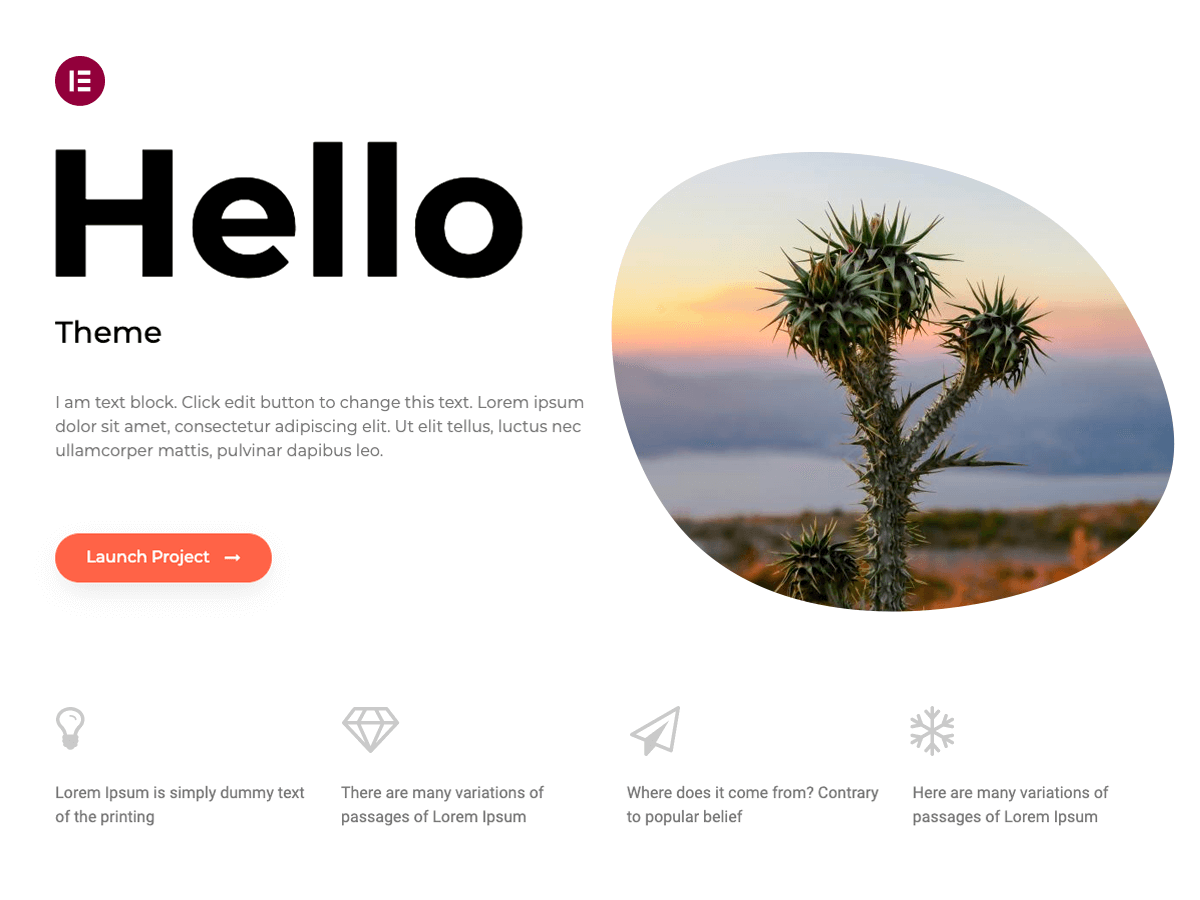
Hello Elementor is the official theme from the Elementor team, and with 1,000,000+ active installs it is one of the most installed themes on WordPress.org. It is intentionally bare. Out of the box you get a simple header, a simple footer and almost no styling, because the theme expects Elementor to do all the design work.
That is exactly why many Elementor Pro users love it. If you plan to build your header, footer, single post template, archive pages and WooCommerce pages in Elementor’s Theme Builder, Hello gives you a clean slate with nothing to override. There is no theme CSS to fight, no extra options panel to learn, and because it comes from Elementor itself, compatibility with new Elementor releases is rarely a worry.
The catch is that Hello only shines when you pair it with Elementor Pro. On the free version of Elementor you cannot build custom headers, footers or post templates, so your site ends up looking very plain. That is also the main reason its WordPress.org rating (4.2/5 from 129 reviews) is lower than the other themes here: people install it expecting a designed theme and get a blank canvas. If you already pay for Elementor Pro, it is the most natural choice. If you do not, pick one of the themes below instead.
Features
-
Official theme made and maintained by the Elementor team
-
Minimal code and styling, designed to be fully controlled by Elementor
-
Built-in header and footer settings (logo, menu, layout) through the Elementor Site Settings
-
Full support for the Elementor Pro Theme Builder (header, footer, single, archive, 404 and WooCommerce templates)
-
Works with Elementor’s Global Colors and Global Fonts
-
Child theme available for custom code
Pros
-
About as lightweight and conflict-free as an Elementor theme gets
-
Built by the same team that makes Elementor, so it keeps pace with Elementor updates
-
Completely free, with nothing locked behind a Pro version
Cons
-
Almost useless without Elementor Pro’s Theme Builder
-
Very few theme options of its own
-
No starter sites of its own beyond what Elementor offers
Pricing
Hello Elementor is 100% free. To get the most out of it you need Elementor Pro, which starts at $60/year for 1 site (Essential). The Advanced Solo plan ($84/year, 1 site) adds popups, custom code and WooCommerce widgets.
2 Astra

Astra is the most popular non-default theme on WordPress.org, with 1,000,000+ active installs and a 4.9/5 rating from more than 6,500 reviews. It is built by Brainstorm Force, and it has been one of the go-to Elementor themes for years because it is light, fast and deeply integrated with Elementor.
The biggest draw for Elementor users is the Starter Templates library. You can import a complete, ready-made Elementor website (pages, header, footer, colors and fonts) in a few clicks and then edit everything in Elementor. Astra also lets you turn off the page title, sidebar and container on any page, so you can build full-width Elementor landing pages without fighting the theme layout.
Astra Pro adds a lot on top: a more advanced header builder, mega menus, custom layouts you can hook into any area of the site, and extra WooCommerce and blog options. The higher bundles also include Ultimate Addons for Elementor (70+ extra widgets), which is a good deal if you were going to buy an Elementor addon anyway. The trade-off is that Astra’s pricing has become more complex, with bundles, AI site-building features and hosting mixed in, so read the plans carefully before you buy.
Features
-
Drag-and-drop header and footer builder (free)
-
Hundreds of Starter Templates, including full Elementor websites
-
Per-page controls to disable the title, sidebar and container for full-width Elementor pages
-
Custom layouts and hooks in Pro to place Elementor templates anywhere
-
Mega menu, sticky header and advanced blog layouts in Pro
-
Extended WooCommerce options (quick view, distraction-free checkout and more) in Pro
-
Ultimate Addons for Elementor included in the Essential and Business Toolkit bundles
Pros
-
Huge user base, so tutorials and answers are easy to find
-
One of the largest libraries of ready-made Elementor websites
-
Fast and lightweight even with lots of features turned on
Cons
-
Pricing is now split between an add-on and several AI/hosting bundles, which can be confusing
-
Introductory prices renew at a higher rate
-
Many of the best design options require Pro
Pricing
Astra is free on WordPress.org. Astra Pro on its own costs $69/year for up to 3 sites, or $249 one-time for a lifetime license. Bundles start at $99/year for the first year (Astra Pro + AI, renews at $149/year). The Essential Toolkit ($199/year first year, 10 sites) adds Ultimate Addons for Elementor and premium templates.
3 OceanWP
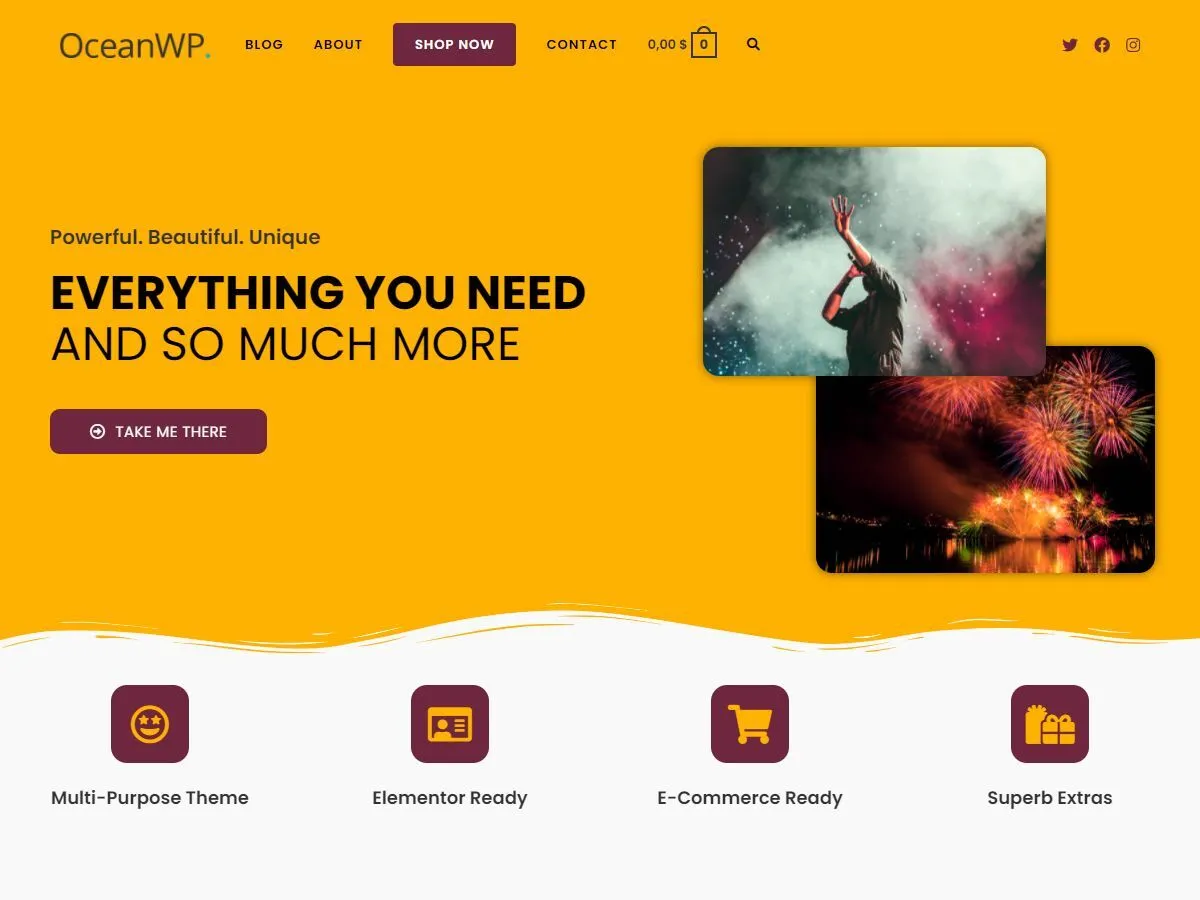
OceanWP is another veteran Elementor theme, with 400,000+ active installs and a 4.9/5 rating from over 5,700 reviews. It has always been one of the most feature-packed free themes, which makes it a great pick if you want a lot of control without paying right away.
Once you install the free Ocean Extra companion plugin, you get per-page settings for the header, footer, title and sidebar, plus a library of free demos you can import. OceanWP is fully compatible with Elementor, and many of its demos are built with Elementor, so you can import a site and start customizing it in the page builder immediately.
The Pro side works differently from most themes here. Instead of a single Pro theme, OceanWP sells premium extensions, such as the Elementor widgets pack, sticky header, popup login, full-screen menu and more. The Core Extensions Bundle gives you all of them for unlimited sites, which is unusually good value for freelancers and agencies. The downside is that the settings can feel spread out across the Customizer, Ocean Extra and individual extensions, so there is a small learning curve.
Features
-
Free Ocean Extra plugin with per-page header, footer, title and sidebar controls
-
Free and premium demos, many built with Elementor
-
Ocean Elementor Widgets extension with extra Elementor widgets (Pro)
-
Sticky header, full-screen menu, side panel and popup login extensions (Pro)
-
WooCommerce features like quick view, floating add-to-cart bar and off-canvas filters
-
Modular extensions, so you only load what you use
Pros
-
Very feature-rich free version
-
Core Extensions Bundle covers unlimited sites
-
Strong WooCommerce support out of the box
Cons
-
Settings are split across several places
-
Can feel heavier than GeneratePress or Hello if you enable many extensions
-
No refunds on the Core Extensions Bundle, so test the free version first
Pricing
OceanWP is free on WordPress.org. The Core Extensions Bundle costs $79/year and includes all premium extensions and pro demos for unlimited sites. Renewals get a 30% discount.
4 GeneratePress

GeneratePress has a reputation as one of the fastest and cleanest themes in WordPress, with 500,000+ active installs and a 4.9/5 rating from more than 1,400 reviews. It is built by Tom Usborne and his small team, and it is famous for loading very little code by default.
For Elementor users, that matters. GeneratePress adds almost nothing to your page weight, so Elementor pages stay as fast as Elementor allows. You can disable the title, sidebar and content container on any page and let Elementor take full control, while GeneratePress handles the parts of the site Elementor does not touch, like your blog and archive pages.
The paid version is now called GeneratePress One, and it bundles GP Premium, GenerateBlocks Pro and GenerateCloud in one plan. One feature Elementor users will appreciate is Elements: it lets you place a hook, header or layout anywhere on the site using display rules. That said, GeneratePress’s own direction is clearly the block editor (GenerateBlocks), so many of the new Pro features target Gutenberg rather than Elementor. If you are 100% Elementor, you will use only part of what you pay for.
Features
-
Extremely lightweight core with no jQuery dependency
-
Per-page controls to disable the title, sidebar and container
-
Elements module (Pro) for hooks, custom headers and layouts with display rules
-
Sticky, mobile, off-canvas and secondary menus (Pro)
-
80+ starter sites in GeneratePress One
-
WooCommerce colors, typography and layout controls (Pro)
Pros
-
One of the best performing themes for Core Web Vitals
-
Stable, well-documented and founder-owned since 2014
-
Lifetime option available on the top plan
Cons
-
Newer Pro features focus on the block editor, not Elementor
-
Starter sites lean toward GenerateBlocks rather than Elementor
-
Free version has limited design options
Pricing
GeneratePress is free on WordPress.org. GeneratePress One costs $99/year for 1 site, $149/year for 10 sites, or $199/year for 100 sites. A lifetime license for 100 sites costs $596 one-time. All plans come with a 30-day refund.
5 Blocksy

Blocksy is the highest-rated theme on this list, with a perfect 5/5 rating from 873 reviews and 300,000+ active installs. Built by Creative Themes, it has grown quickly over the past few years because its free version is unusually generous.
You get a full drag-and-drop header and footer builder, sticky and transparent headers, a dark mode switch, and detailed layout options for every post type, all for free. Blocksy is built with the block editor in mind, but it works very well with Elementor too. You can set any page to a full-width, no-container layout and build it in Elementor, while Blocksy handles your headers, footers and archives.
Blocksy Pro is a plugin (it upgrades the free Blocksy Companion plugin) and adds Content Blocks, which let you build custom headers, footers, popups and templates and place them anywhere with conditions. It also adds multiple conditional headers, mega menus and a very strong WooCommerce toolkit with filters, swatches, wishlist and quick view. Pricing is simple and fair, and there is a lifetime option on every plan.
Features
-
Free drag-and-drop header and footer builder
-
Sticky header, transparent header and dark mode switch in the free version
-
Per-post-type layout options and Elementor-friendly full-width pages
-
Content Blocks (Pro) for hooks, popups and custom templates with display conditions
-
Multiple conditional headers and footers, mega menus (Pro)
-
WooCommerce extras: filters, variation swatches, quick view, wishlist, compare (Pro)
-
White label (Pro)
Pros
-
The best free feature set of any theme here
-
Clean, modern design and fast performance
-
Simple pricing with lifetime options on every plan
Cons
-
Smaller community than Astra or OceanWP
-
Starter sites are a mix of Gutenberg and Elementor, so fewer Elementor-only demos
-
Some advanced WooCommerce features require higher plans
Pricing
Blocksy is free on WordPress.org. Blocksy Pro costs $69/year (1 site), $99/year (10 sites) or $149/year (unlimited sites). Lifetime licenses cost $199, $299 and $499 respectively. All plans include a 14-day refund.
6 Kadence
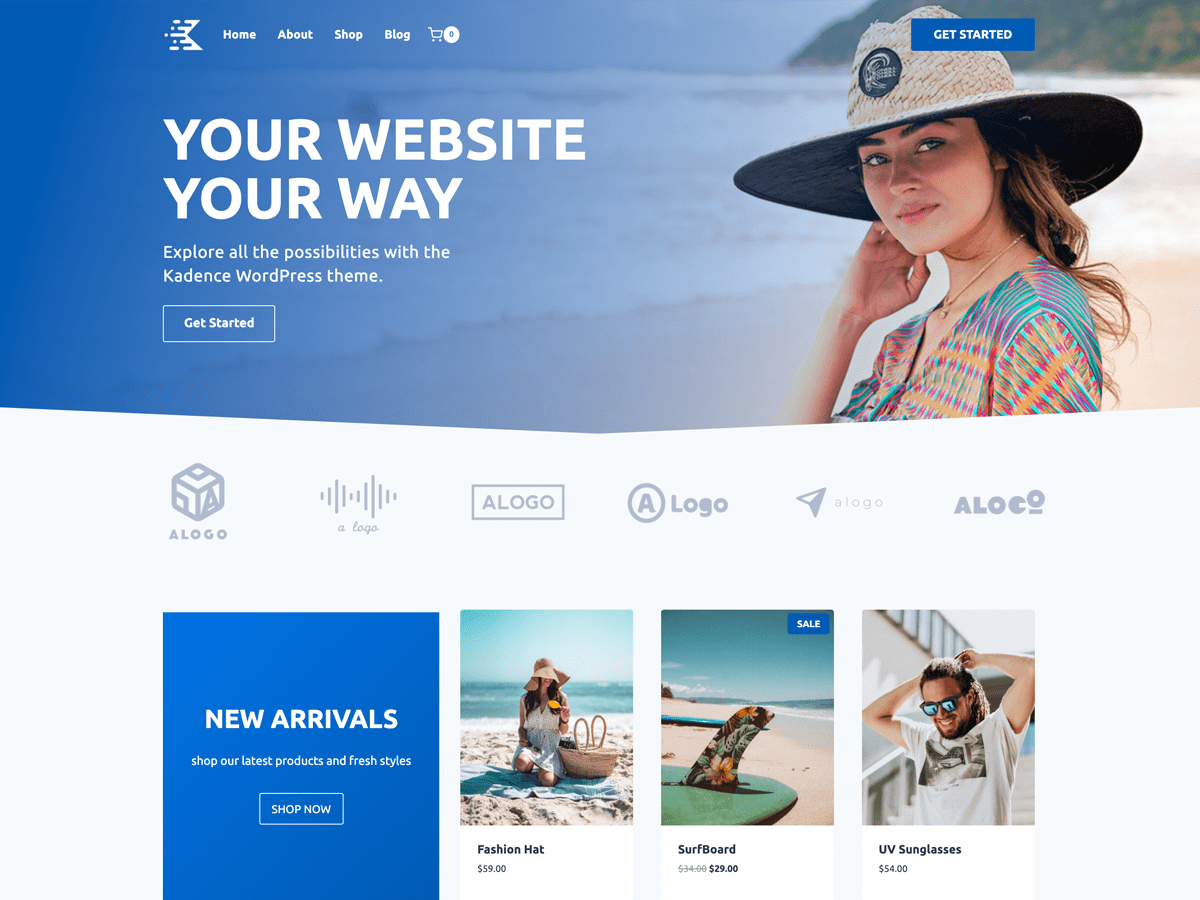
Kadence has 500,000+ active installs and a 4.9/5 rating from 455 reviews. It is now owned by Nexcess (part of Liquid Web), and it is known for strong accessibility, good performance and one of the best free header and footer builders available.
Kadence is best known as a block editor theme, paired with its own Kadence Blocks plugin, but it is fully compatible with Elementor. You can turn off the title and content container on any page and build freely in Elementor, and Kadence’s global color palette and typography settings keep the rest of the site consistent. Its starter templates library also includes Elementor versions of several designs.
The main reason to consider Kadence over the others is the free version: the header builder, global palettes and layout controls are all free, and the theme is consistently fast. The weak spot right now is pricing. Kadence Pro has moved into Liquid Web bundles that also include other StellarWP products, so it is harder to buy just the theme upgrade cheaply than it used to be. If you are on Elementor and only need the free theme, this does not affect you.
Features
-
Free drag-and-drop header and footer builder with sticky and transparent options
-
Global color palettes and typography
-
Per-page layout controls for full-width Elementor pages
-
Starter templates, including some Elementor-based designs
-
Hooked Elements, conditional headers and mega menus in Pro
-
Shop Kit for WooCommerce (swatches, galleries, upsells) in higher plans
Pros
-
Strong accessibility and performance
-
Very capable free version
-
Backed by a large company with a long-term roadmap
Cons
-
Pro features and roadmap focus mainly on the block editor
-
Paid plans are now bundled with other Liquid Web products and cost more than most themes here
-
Fewer Elementor-specific extras than Astra, Neve or Sydney
Pricing
Kadence is free on WordPress.org. At the time of writing, Kadence Pro is sold through Liquid Web as part of a bundle that also includes LearnDash, Give and The Events Calendar, starting at $350 for 1 site. Check the official pricing page for current plans.
7 Neve
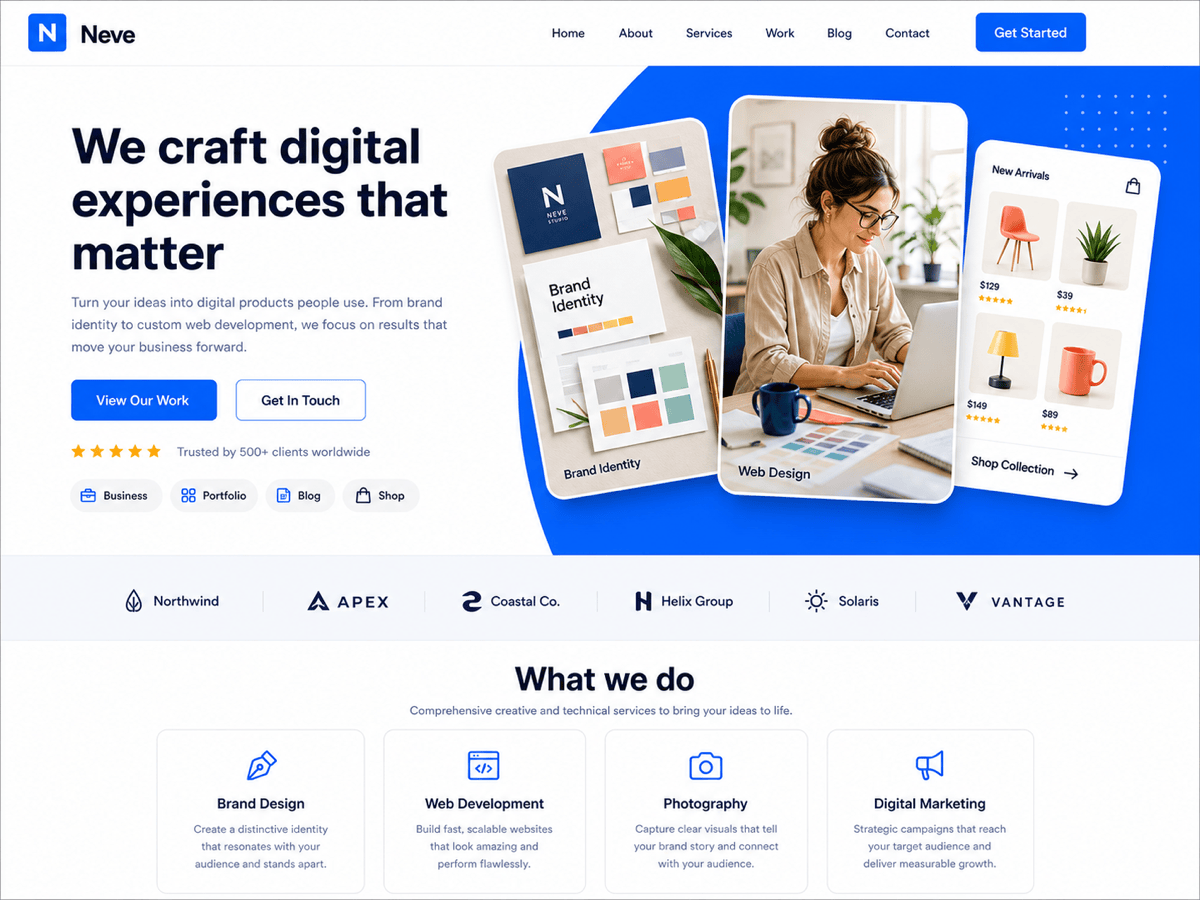
Neve, from Themeisle, has 200,000+ active installs and a 4.7/5 rating from over 1,200 reviews. It is a lightweight, mobile-first theme that loads fast on phones, and it has strong Elementor support built in.
The free version includes a header and footer builder, a good set of layout options and access to a large library of starter sites, many of them built with Elementor. You can import a full Elementor website and start editing right away. Themeisle recently added 150+ fresh starter sites, which is one of the bigger libraries in this list.
Neve Pro stands out for Elementor users because it includes an Elementor Booster module: extra widgets like flip cards, review boxes, team members, typed headlines, progress circles and content switchers, plus content protection, particles and animation effects. That means you may not need a separate Elementor addon plugin. Pro also adds multiple headers, custom layouts with hooks, and extended WooCommerce features. Every plan covers unlimited sites, but the low prices are introductory and renew at full price.
Features
-
Mobile-first, lightweight code
-
Free header and footer builder
-
150+ starter sites, many built with Elementor
-
Extra Elementor widgets, content protection, particles and animations (Pro)
-
Custom layouts and hooks, multiple headers (Pro)
-
Extended WooCommerce features in Business and Agency plans
-
Unlimited sites on every Pro plan
Pros
-
Built-in Elementor widgets can replace a separate addon plugin
-
Big starter site library
-
Unlimited sites even on the cheapest plan
Cons
-
Introductory prices double at renewal
-
WooCommerce extras need the Business plan or higher
-
Lower WordPress.org rating than most themes here
Pricing
Neve is free on WordPress.org. Neve Pro costs $69/year (Personal), $149/year (Business) or $259/year (Agency) for the first year, all for unlimited sites. Renewals are at full price ($139, $299 and $519). All plans include a 30-day money-back guarantee.
8 Sydney
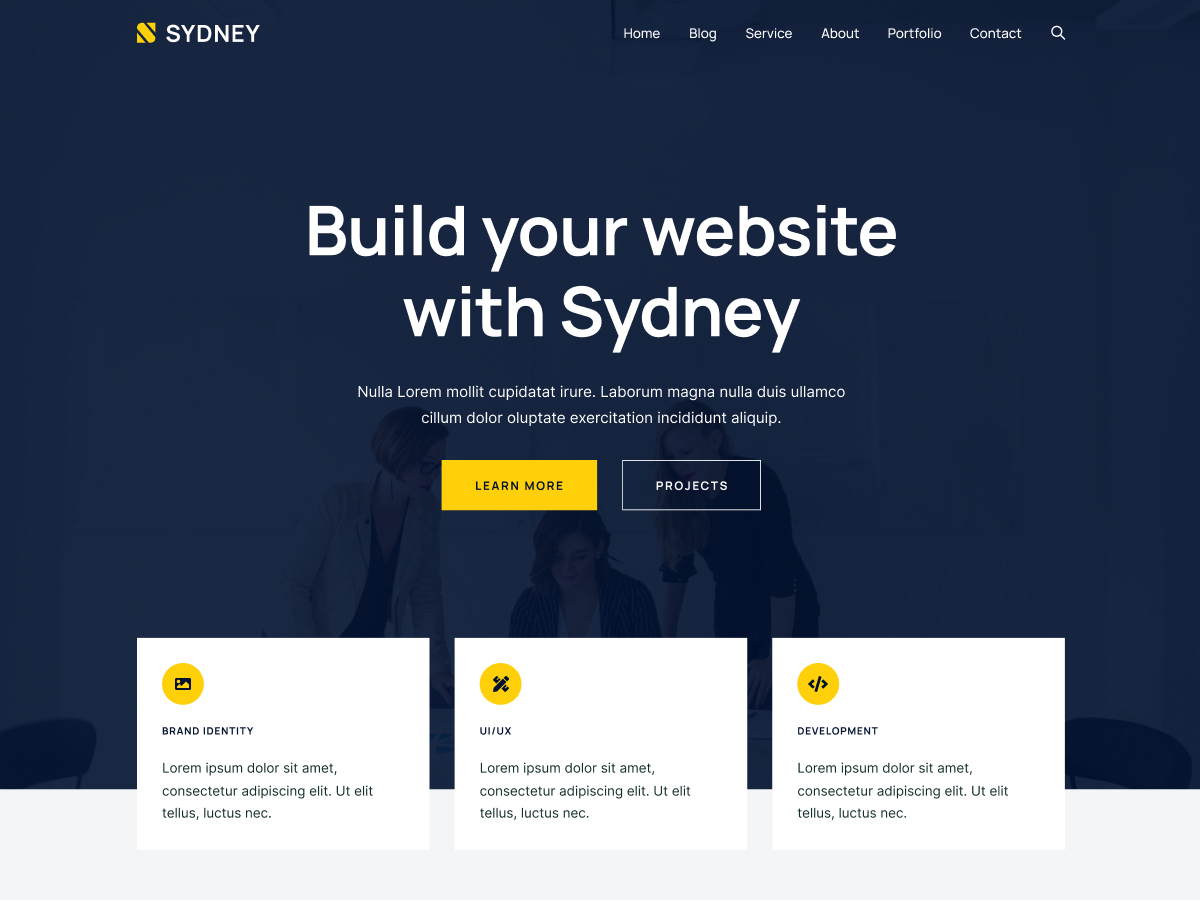
Sydney, from aThemes, is one of the most Elementor-focused themes on WordPress.org. It has 80,000+ active installs and a 4.9/5 rating from 794 reviews, and it is especially popular for business and agency websites.
Unlike most themes here, Sydney was designed with Elementor as the main page builder from the start. The free version includes Elementor-ready starter sites, a header builder and a few Elementor widgets. Sydney Pro then adds a full Elementor Tools module with custom CSS per widget, sticky sections, particles backgrounds, glassmorphism and animation effects, plus widgets like timelines, pricing tables, team members and advanced carousels.
A nice bonus is that every Sydney Pro plan now includes aThemes Addons Pro, an Elementor addon with 65+ premium widgets. Pro also adds a Templates Builder for custom headers, footers, archives, single posts and WooCommerce pages, so you can do a lot of what Elementor Pro’s Theme Builder does without paying for Elementor Pro.
Features
-
Designed around Elementor from the start
-
Elementor-ready starter sites
-
Templates Builder for custom headers, footers, archives, single posts and WooCommerce pages (Pro)
-
Elementor Tools module: custom CSS, sticky mode, particles, animations, tooltips (Pro)
-
aThemes Addons Pro with 65+ Elementor widgets included (Pro)
-
WooCommerce extras: wishlist, swatches, multistep checkout, sticky add to cart (Pro)
Pros
-
One of the most Elementor-friendly themes available
-
Includes a full Elementor addon plugin in every Pro plan
-
Templates Builder can replace part of Elementor Pro
Cons
-
Smaller user base than Astra or OceanWP
-
Fewer starter sites than the biggest themes
-
Business-site focus may feel limiting for blogs
Pricing
Sydney is free on WordPress.org. Sydney Pro costs $63/year for 1 site (first year, normally $79), $119/year for 10 sites, or $199/year for 100 sites. The Agency plan also includes Botiga Pro and white label. Lifetime plans are available, and there is a 14-day money-back guarantee.
9 Royal Elementor Kit

Royal Elementor Kit is a free theme from WP Royal, the team behind the Royal Elementor Addons plugin. It has 100,000+ active installs and a perfect 5/5 rating from 92 reviews, and as the name suggests, it exists entirely to serve Elementor users.
The theme itself is minimal. Its real value comes from pairing it with Royal Elementor Addons, which gives you a large library of free Elementor template kits (complete websites for agencies, restaurants, portfolios, shops and more), plus 90+ widgets, a theme builder, a WooCommerce builder, a mega menu builder and a popup builder. In practice, it is one of the cheapest ways to get Theme Builder style control with free Elementor.
It is a great pick if you want a ready-made Elementor website for free and do not mind relying on one company’s addon plugin for most of the design. Keep in mind that the theme and the plugin are tightly linked, so switching away later means rebuilding more of your site than with a neutral theme like Hello or GeneratePress.
Features
-
Lightweight theme made specifically for Elementor
-
Works with the free Royal Elementor Addons plugin
-
Library of free one-click Elementor template kits
-
Theme builder, WooCommerce builder, mega menu and popup builder through the addon
-
90+ Elementor widgets through the addon
-
Pro version of the addon adds more advanced widget options
Pros
-
Many complete Elementor websites for free
-
Theme builder features without Elementor Pro
-
Perfect rating on WordPress.org
Cons
-
Depends heavily on the Royal Elementor Addons plugin
-
Fewer reviews than the bigger themes, so less long-term track record
-
Harder to move away from later
Pricing
Royal Elementor Kit and Royal Elementor Addons are free on WordPress.org. Royal Elementor Addons Pro adds advanced widget options and features; check the official site for current plans.
10 Phlox
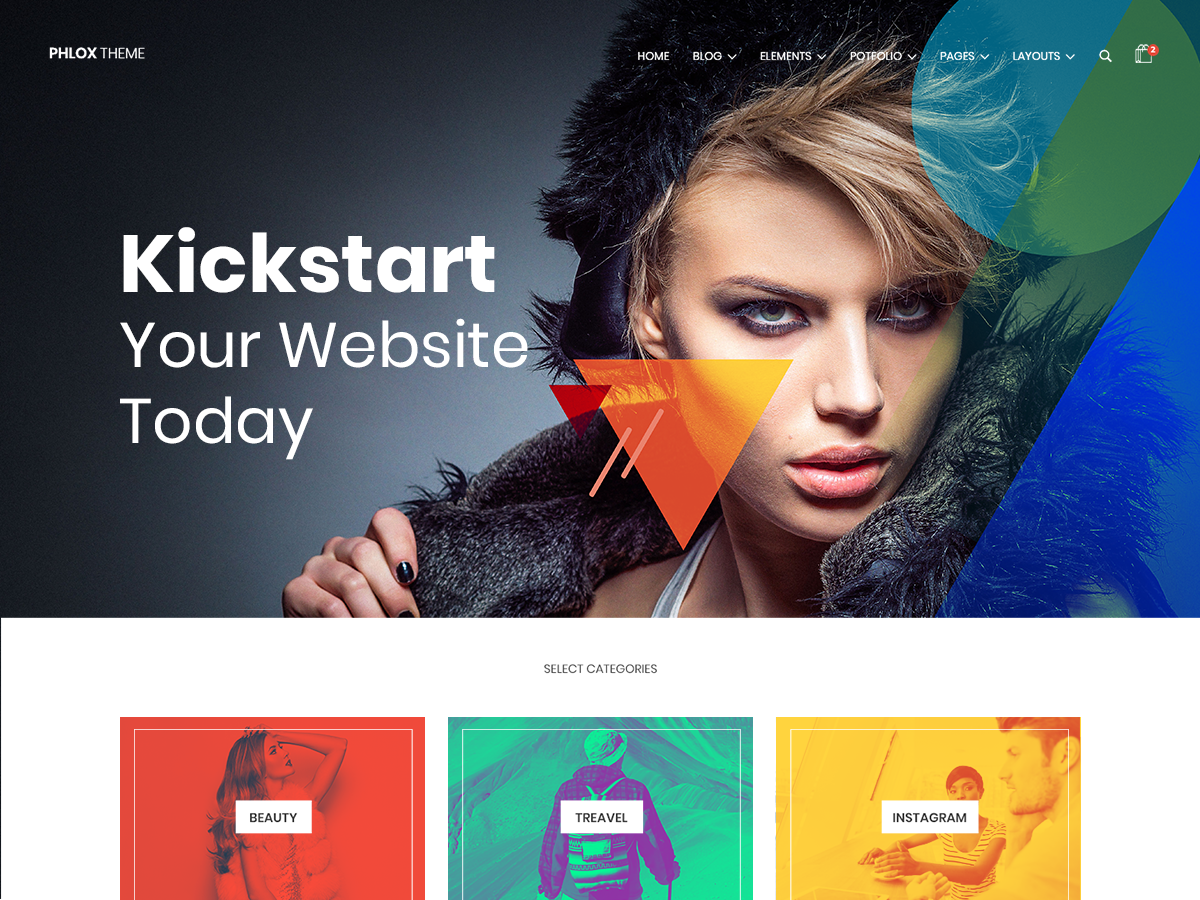
Phlox, from Averta (the team behind Master Slider and Depicter), has 30,000+ active installs on WordPress.org and a 4.8/5 rating from 867 reviews. Its Pro version has sold 50,000+ copies on ThemeForest, and it is built to work hand in hand with Elementor.
The free version comes with the Phlox Core Elements plugin, which adds a set of extra Elementor widgets (sliders, galleries, testimonials, recent posts and more), along with a handful of demos. Phlox Pro is where the theme really opens up: 300+ demo websites you can import and edit in Elementor, covering almost any niche from portfolios and agencies to shops and blogs.
What makes Phlox Pro unusual is the price. It is a one-time payment with lifetime updates, which makes it the cheapest Pro option on this list by a wide margin. The trade-off is that support lasts 6 months, and the theme is heavier and more design-driven than lightweight options like GeneratePress or Hello.
Features
-
Built to work with Elementor, with Phlox Core Elements widgets included
-
300+ importable demo websites in Pro
-
Header and footer customization with Elementor templates
-
Portfolio, gallery and blog layouts
-
WooCommerce support with shop layouts
-
Lifetime product updates on Pro
Pros
-
Huge demo library for the price
-
One-time payment, no renewals
-
Good choice for portfolio and creative sites
Cons
-
Support is limited to 6 months
-
Heavier than minimal themes like Hello or GeneratePress
-
Smaller free user base than most themes here
Pricing
Phlox is free on WordPress.org. Phlox Pro costs $39 one-time for 1 website or $49 one-time for 3 websites, with lifetime updates, 6 months of support and a 14-day money-back guarantee.
Which Elementor Theme Should You Choose?
If you already pay for Elementor Pro and want to design every part of your site in the Theme Builder, go with Hello Elementor. It is free, made by Elementor, and stays completely out of your way.
If you use free Elementor or want a theme that handles your header, footer and blog for you, Astra is the safest all-round pick, with the biggest template library and community. Blocksy is the best choice if you want the most features without paying, and GeneratePress is the one to pick if speed is your top priority.
For Elementor-specific extras, look at Sydney (includes a full Elementor addon in Pro) or Neve (built-in Elementor widgets). On a tight budget, Royal Elementor Kit gives you free template kits and theme builder features, and Phlox Pro gives you 300+ demos for a one-time $39.
Whatever you choose, test the free version first. Every theme on this list is free on WordPress.org, so you can try a few with your Elementor pages before spending anything. If you also need more widgets, check our list of the best Elementor addons plugins, and if you are still deciding on a page builder, see our Elementor vs Divi comparison and our list of the best Elementor alternatives.
Disclosure: Some links in this post are affiliate links. If you buy through them, we may earn a commission at no extra cost to you. This does not change how we rank or review products.

Leave a Reply