

Are you looking for a LearnDash alternative that costs less, has a free version, or lets you pay once instead of every year?
You are not alone. LearnDash is still a capable LMS, but 2026 gave a lot of course creators a reason to look around. Between March and June, LearnDash replaced its old site-based licenses with three new plans: Essentials at $259/year, Pro at $399/year, and Elite at $599/year. There is still no free version, and there is no lifetime license on any plan.
Then in May 2026, Liquid Web (which owns LearnDash) folded its StellarWP brands into one lineup. LearnDash.com now redirects to Liquid Web, MemberDash was merged into LearnDash, and plenty of users reported lost logins and missing download pages during the switch.
The good news is that WordPress now has several LMS plugins that cover what most course creators need, for less money. Some are free to start, and a few let you pay once and never renew. In this guide, I compare the 8 best LearnDash alternatives, with every price checked against the official pricing pages.
Quick answer:
- Best overall: Tutor LMS, with a powerful free version, lifetime licenses, and a free LearnDash migration tool.
- Best free version: Masteriyo, which sells courses and issues certificates for free.
- Best for coaching and membership programs: LifterLMS.
- Cheapest lifetime license: MasterStudy LMS, from $249 one time.
- Best for $0 budgets: LearnPress.
Let’s get started.
Best LearnDash Alternatives Compared
| Alternative | Free Version? | Ratings | Details |
|---|---|---|---|
| Tutor LMS | Yes | 4.4/5 (WordPress.org) | More Info |
| Masteriyo | Yes | 4.8/5 (WordPress.org) | More Info |
| LifterLMS | Yes | 4.8/5 (WordPress.org) | More Info |
| Academy LMS | Yes | 4.9/5 (WordPress.org) | More Info |
| MasterStudy LMS | Yes | 4.5/5 (WordPress.org) | More Info |
| LearnPress | Yes | 4.3/5 (WordPress.org) | More Info |
| Creator LMS | Yes | 5/5 (WordPress.org) | More Info |
| Sensei LMS | Yes | 3.5/5 (WordPress.org) | More Info |
Prices change often, so confirm on the vendor’s page before you buy.
Why Look for a LearnDash Alternative?
Here are the most common reasons course creators switch:
- No free version: You cannot test LearnDash on a real site without paying first.
- No lifetime license: You pay every year, as long as your course site is running. Over 5 years, Essentials alone costs $1,295.
- Key features are on higher plans: The ProPanel reporting dashboard needs Pro ($399/year), and group management and multi-instructor courses need Elite ($599/year).
- The Liquid Web move: Your account, downloads, and support now live in a shared Liquid Web portal, which confused many existing users in 2026.
If any of these sound familiar, one of the plugins below will likely be a better fit.
1. Tutor LMS

Best for: Most people leaving LearnDash, especially if you want to pay once instead of every year.
Tutor LMS by Themeum is the most widely used free LMS plugin for WordPress, with over 100,000 active installations. It is the closest match to LearnDash in features, but it costs less, has a free version, and offers lifetime licenses on every tier.
Switching is easy too. The free Tutor LMS Migration Tool moves your LearnDash courses, students, and even LearnDash orders into Tutor LMS. If you have the Certificate add-on set up before you migrate, it will also generate certificates for students who already completed courses. The same tool also imports from LearnPress, LifterLMS, and WooCommerce.
Tutor LMS comes with native eCommerce, so you can sell courses without WooCommerce. It supports Stripe, PayPal, Paddle, Mollie, Razorpay, and more, along with subscriptions, course bundles, coupons, and gift courses. Version 4.0 (July 2026) added a redesigned learning area, a kids mode, and light and dark modes. An AI Studio can also generate course outlines, lessons, and quizzes for you.
Features:
-
Free migration tool for LearnDash courses, students, and orders
-
Drag-and-drop frontend course builder
-
Advanced quiz builder with interactive question types (matching, image pins, puzzles)
-
Native eCommerce with Stripe, PayPal, Paddle, Mollie, and Razorpay
-
Subscriptions, memberships, course bundles, and coupons
-
Frontend dashboards for students and instructors
-
Multi-instructor support with revenue sharing (great for Udemy-style marketplaces)
-
Certificate builder with verification (Pro)
-
Content drip, assignments, and gradebook (Pro)
-
Live classes with Zoom, Google Meet, and Jitsi (Pro)
-
AI Studio for course outlines, lessons, and quizzes (Pro, uses your own OpenAI API key)
PROS:
- Lifetime licenses on every plan, which LearnDash does not offer
- Free LearnDash migration tool
- Generous free version with built-in checkout
- Cheaper than LearnDash on a single site, even on the yearly plan
- No commission on your course sales
- 30-day money-back guarantee
CONS:
- Certificates, content drip, and assignments need Pro
- The lifetime Agency plan covers up to 50 sites, while the yearly Agency plan covers unlimited sites
Pricing: Tutor LMS is free on WordPress.org. Tutor LMS Pro costs $199/year for 1 site, $399/year for up to 10 sites, and $799/year for unlimited sites. Lifetime licenses cost $499 (1 site), $999 (up to 10 sites), and $1,999 (up to 50 sites). The single-site lifetime plan costs less than two years of LearnDash Essentials, and nonprofits can request 30% off. See our full breakdown of the Tutor LMS lifetime deal.
2. Masteriyo
Best for: Creators who want the most complete free version, with selling and certificates included.
Masteriyo is a newer LMS plugin from the team behind ThemeGrill and Themeisle. Its main selling point is how much it puts into the free version. You can sell courses, issue certificates, import SCORM content, and add interactive H5P lessons without paying anything.
The free version includes PayPal and offline payments, with free add-ons for Stripe, Mollie, and Lemon Squeezy, and there are no transaction fees on any plan. Everything is managed from one fast, React-powered screen, and a setup wizard gets your course pages, currency, and design ready in a few minutes.
Masteriyo also has a free migration tool that imports courses, lessons, quizzes, orders, and students from LearnDash, as well as LearnPress, LifterLMS, Tutor LMS, and MasterStudy. The trade-off is that it is still young. Its user base is a fraction of Tutor LMS’s, and the free quiz builder only has three question types.
Features:
-
Free migration tool from LearnDash and four other LMS plugins
-
Free native checkout with PayPal, Stripe, Mollie, and Lemon Squeezy
-
Free certificate builder with QR code validation
-
Free SCORM import and H5P interactive content
-
YouTube Live lessons, plus free Google Meet and Google Classroom add-ons
-
AI course creation (uses your own OpenAI API key)
-
Assignments, gradebook, content drip, and prerequisites (paid)
-
Subscriptions, course bundles, and coupons (paid)
-
Mailchimp, HubSpot, and Zapier integrations (paid)
PROS:
- The most generous free version on this list
- Free LearnDash migration
- Lifetime license available
- All features ship in one plugin, with no add-on store to shop from
CONS:
- Small user base compared to Tutor LMS and LearnPress
- The free quiz builder only has 3 question types
- Intro prices roughly double when you renew
- Only a 14-day money-back guarantee
Pricing: Masteriyo is free on WordPress.org. Paid plans start at $99/year for Basic, $149/year for Pro, and $399/year for Elite. These are first-year prices, and they renew at $199, $299, and $799/year. Elite Lifetime costs $499 for 1 site or $1,299 for 10 sites.
Read our full review: Masteriyo LMS Review
3. LifterLMS
Best for: Coaches and membership-style course businesses that need deep features.
LifterLMS has been around since 2014 and has a loyal following among coaches and training businesses. Its free core plugin has no limits on courses, memberships, students, or teachers, and it holds one of the highest WordPress.org ratings among major LMS plugins, at 4.8 out of 5.
The course builder supports sections, multimedia lessons, quizzes with question banks, and assignments. You can drip content, set prerequisites, and award certificates and achievement badges. Memberships are built in, so you can protect content outside your courses too, which makes it a good fit for coaching programs.
The big catch is that the free core cannot take online payments. Stripe, PayPal, and WooCommerce payments come with the paid Earth Bundle or higher. Renewals are also at full price, so year two costs twice as much as year one.
Features:
-
Unlimited courses, memberships, and students in the free core
-
Course cohorts and course tracks
-
Quizzes with question banks
-
Certificates and achievement badges
-
Content drip and prerequisites
-
Built-in memberships and content protection
-
Stripe, PayPal, and WooCommerce payments (Earth Bundle and up)
-
Email marketing, CRM, and form integrations (Universe Bundle and up)
-
Advanced add-ons like groups and assignments (Infinity Bundle)
PROS:
- Free core plugin with no limits
- Highest-rated major LMS on WordPress.org
- Strong support, including live sessions on paid bundles
- Try every add-on on a demo site for $1
CONS:
- The free version cannot accept online payments
- Renewals cost double the first-year price
- The course builder feels older than Tutor LMS or Masteriyo
- No lifetime license
Pricing: The core plugin is free. Paid bundles are the Earth Bundle at $398/year (1 site), Universe Bundle at $598/year (5 sites), and Infinity Bundle at $1,598/year (unlimited sites). New customers often get 50% off the first year, but renewals are at full price.
4. Academy LMS
Best for: Small course marketplaces and anyone who wants a cheap lifetime license.
Academy LMS by Kodezen is a newer plugin with a small but very happy user base. It has 2,000+ active installations and a 4.9 out of 5 rating from 120 reviews on WordPress.org. Its admin is built with React, so screens load almost instantly, which you will notice if LearnDash’s backend ever felt slow.
The free version is unusually generous. It includes certificates, multi-instructor support with revenue sharing, and a native checkout through its sister plugin StoreEngine. It also works with WooCommerce, Easy Digital Downloads, and SureCart if you already use one of them.
Academy LMS has a frontend course builder, an AI Studio that creates outlines, lessons, and quizzes from a prompt, and a Gutenberg block builder for designing course pages. Pro adds the advanced tools, like content drip, SCORM, assignments, and live classes.
Features:
-
Free certificates
-
Free multi-instructor support with revenue sharing
-
Native checkout through StoreEngine
-
WooCommerce, EDD, and SureCart integrations
-
Fast React-based admin
-
Frontend course builder
-
AI Studio for course outlines, lessons, and quizzes
-
Content drip, SCORM, assignments, and gradebook (Pro)
-
Zoom and Google Meet live classes (Pro)
-
White labeling (Pro)
PROS:
- Very generous free version
- Lifetime license at a low price
- One of the fastest admin areas of any LMS
CONS:
- Small user base and a shorter track record
- Content drip, SCORM, and live classes need Pro
- 14-day money-back guarantee
Pricing: Academy LMS is free on WordPress.org. Academy Pro starts at $199/year for 1 site, or $399 one time for a single-site lifetime license. Multi-site plans cost more.
5. MasterStudy LMS
Best for: Tutors, schools, and small marketplaces on a tight budget.
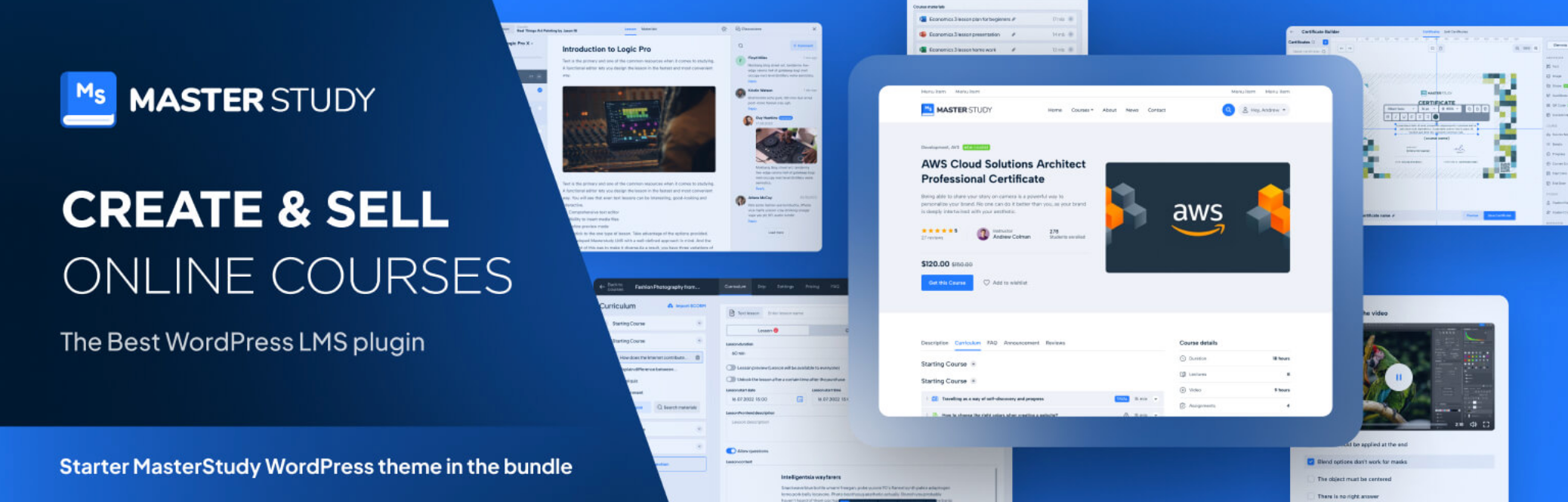
MasterStudy LMS by Stylemix is a free LMS plugin with over 10,000 active installations and a 4.5 out of 5 rating on WordPress.org. It has the cheapest lifetime license among the popular LMS plugins, and its yearly Pro plan costs well under half of LearnDash Essentials.
The course builder lets you add lessons, quizzes, and assignments, set course levels and durations, and add FAQs. The quiz builder supports 8 question types, including image matching, keywords, and fill in the gap. Students learn in a distraction-free course player with dark mode.
The free version includes a drag-and-drop certificate builder, a teacher marketplace with commissions, and Gutenberg blocks. Pro Plus adds subscriptions, memberships, coupons, drip content, AI course generation, Zoom and Google Meet lessons, SCORM, and group courses.
Features:
-
Drag-and-drop certificate builder (free)
-
Teacher marketplace with commissions (free)
-
8 quiz question types
-
Text, video, audio, PDF, and live stream lessons (some in Pro Plus)
-
Distraction-free course player with dark mode
-
Subscriptions, memberships, and coupons (Pro Plus)
-
AI course generation (Pro Plus)
-
Zoom and Google Meet lessons (Pro Plus)
-
SCORM support and group courses (Pro Plus)
PROS:
- Cheapest lifetime license on this list
- Capable free version with certificates
- Good fit for multi-instructor marketplaces
CONS:
- Many features are locked behind Pro Plus
- Some users report quiz grading quirks
Pricing: MasterStudy LMS is free. Pro Plus costs $99/year for 1 site, $199/year for 10 sites, and $399/year for unlimited sites. Lifetime licenses cost $249, $499, and $999. Discounts are often available.
6. LearnPress

Best for: Beginners with a $0 budget who are happy with PayPal.
LearnPress by ThimPress is one of the oldest free LMS plugins for WordPress, with over 70,000 active installations. You can sell courses with the free version, because PayPal and offline payments are built in. That means a working course store costs you nothing but hosting.
LearnPress works with both Gutenberg and Elementor, and it has a huge theme ecosystem, including Eduma, one of the best-selling education themes ever. It also supports offline (in-person) courses, so you can sell workshops with a location and start date. Newer releases added AI tools for generating course outlines, quizzes, and course images.
The downside is that features come as a pile of separate add-ons. Certificates, Stripe, content drip, and assignments are all paid add-ons, so the cost adds up if you need several.
Features:
-
Unlimited courses, lessons, and quizzes
-
PayPal and offline payments in the free version
-
Offline (in-person) course support
-
Frontend course management for teachers
-
AI tools for outlines, quizzes, and course images
-
Gutenberg and Elementor support
-
Certificates, Stripe, drip content, and assignments (paid add-ons)
-
WooCommerce integration (paid add-on)
PROS:
- Sell courses for free with PayPal
- Large user base and theme ecosystem
- Pay only for the add-ons you need
CONS:
- Certificates and Stripe are paid add-ons
- Costs add up if you need many add-ons
- The admin feels dated next to newer plugins
Pricing: LearnPress is free. Premium add-ons are sold one by one, or you can get the Pro Bundle with all premium add-ons, listed at $249.99/year.
7. Creator LMS

Best for: Coaches who run group programs and want cohorts and community in one plugin.
Creator LMS by WPFunnels launched in 2025, so it is the newest plugin on this list. It is still small, but it has a perfect 5 out of 5 rating on WordPress.org and gets updates almost every week.
The free version includes unlimited courses and students, a drag-and-drop course builder, a quiz builder with 6+ question types, a certificate builder with verification, and native checkout with Stripe and Mollie. A custom video player also hides YouTube and Vimeo branding.
Paid plans add an AI course builder, gamification (badges, points, and leaderboards), memberships, and email automation. Higher plans add cohort-based courses, live Zoom classes, one-click upsells, and a built-in community. It also offers free one-click migration from LearnDash, Tutor LMS, LearnPress, and MasterStudy.
Features:
-
Free one-click migration from LearnDash
-
Native checkout with Stripe and Mollie (free)
-
Certificate builder with verification (free)
-
Custom video player that hides YouTube and Vimeo branding
-
AI course builder (paid)
-
Gamification with badges, points, and leaderboards (paid)
-
Cohort-based courses and live Zoom classes (Business)
-
Built-in community (Agency)
PROS:
- Very complete free version with checkout
- Cohorts and community without extra plugins
- Free LearnDash migration
CONS:
- New, with a small user base
- Cohorts and community are only on the higher plans
- The free version shows a small “Powered by Creator LMS” credit
Pricing: Creator LMS is free. Paid plans are Starter at $139.99/year (1 site), Pro at $199.99/year (5 sites), Business at $399.99/year (10 sites), and Agency at $599.99/year (50 sites). Big discounts are often running.
8. Sensei LMS
Best for: WooCommerce store owners who want a simple, block-based LMS from Automattic.
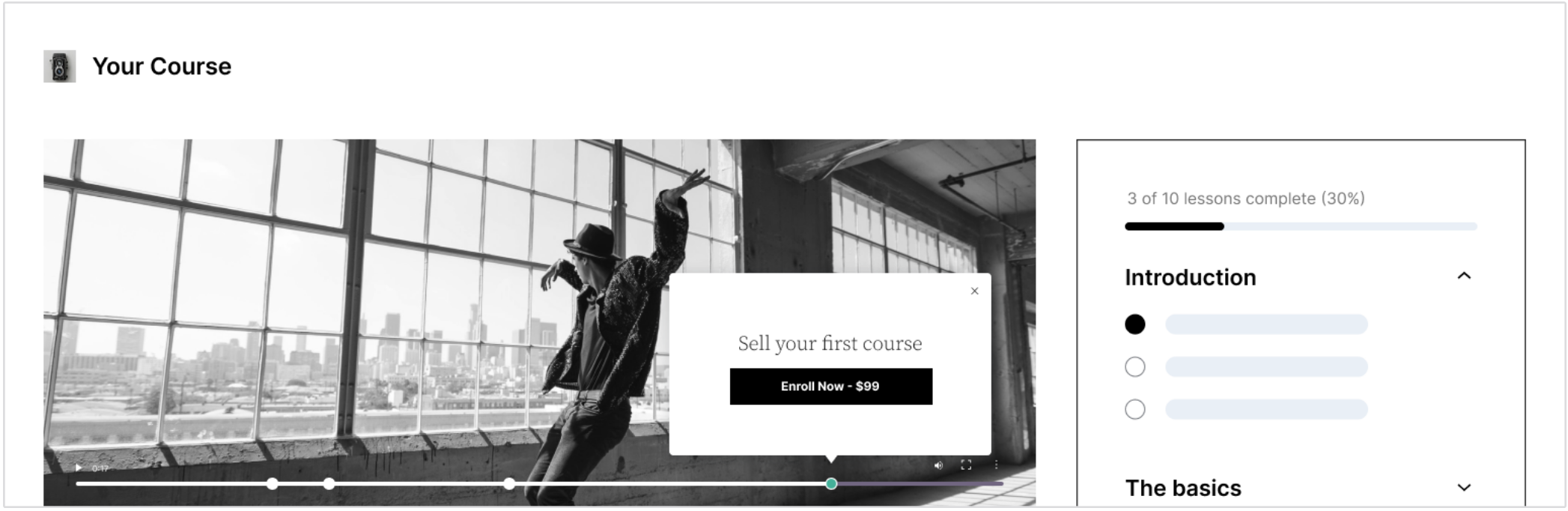
Sensei LMS is made by Automattic, the company behind WordPress.com and WooCommerce. It is built around the block editor, so creating a course feels like writing a normal post. The free version lets you publish unlimited free courses.
The free plugin includes a certificate builder, basic quizzes, and a distraction-free learning mode that works with any theme. There is also a free Course theme designed to work with it.
To sell courses, though, you need Sensei Pro and WooCommerce. Pro adds advanced quizzes, interactive videos, flashcards, drip lessons, groups and cohorts, and reports.
Features:
-
Block-based course builder
-
Certificate builder (free)
-
Distraction-free learning mode
-
Free Course theme
-
Selling through WooCommerce (Pro)
-
Advanced quizzes with timers and AI-generated questions (Pro)
-
Interactive videos and flashcards (Pro)
-
Groups, cohorts, and co-teachers (Pro)
PROS:
- Backed by Automattic
- Feels native to the WordPress block editor
- Works with any theme, plus a free Course theme
CONS:
- You cannot sell courses with the free version
- Selling requires WooCommerce
- Lowest WordPress.org rating on this list (3.5/5)
Pricing: Sensei LMS is free. Sensei Pro costs $179/year for 1 site, and the Sensei Agency plan is $360/year for up to 20 sites.
When Should You Stay With LearnDash?
To be fair, switching is not always the right move. LearnDash still makes sense if:
- Your site is running smoothly: Moving years of courses, students, and orders takes work. Do not switch just to save a few dollars a year.
- You sell seats to companies: Group management and seat-based sales are a LearnDash Elite strength.
- You rely on ProPanel: LearnDash’s reporting on enrollments, completions, and quiz scores is still among the best.
- You want memberships included: MemberDash is now built into every LearnDash plan.
Which LearnDash Alternative Should You Choose?
| If you want… | Choose |
|---|---|
| The best overall alternative, with a lifetime option | Tutor LMS |
| The most complete free version | Masteriyo |
| Coaching and membership programs | LifterLMS |
| A cheap lifetime license and a fast admin | Academy LMS |
| The lowest-cost lifetime license | MasterStudy LMS |
| A free LMS that sells with PayPal | LearnPress |
| Cohorts and community for group coaching | Creator LMS |
| A block-based LMS for WooCommerce stores | Sensei LMS |
Frequently Asked Questions
What is the best alternative to LearnDash?
Tutor LMS is the best LearnDash alternative for most people. It has a similar feature set, a free version, cheaper yearly plans, lifetime licenses from $499, and a free tool to migrate your LearnDash courses, students, and orders.
Is there a free alternative to LearnDash?
Yes. Tutor LMS, Masteriyo, LifterLMS, Academy LMS, MasterStudy LMS, LearnPress, Creator LMS, and Sensei LMS all have free versions. Tutor LMS, Masteriyo, Academy LMS, LearnPress, and Creator LMS let you sell courses for free.
Does LearnDash have a lifetime license?
No. LearnDash is sold as a yearly license only: $259/year for Essentials, $399/year for Pro, and $599/year for Elite. If you want to pay once, Tutor LMS, Masteriyo, Academy LMS, and MasterStudy LMS all offer lifetime licenses.
Can I move my courses from LearnDash to another LMS?
Yes. Tutor LMS, Masteriyo, and Creator LMS all have free tools that import LearnDash courses. Tutor LMS’s Migration Tool can also bring over your students and LearnDash orders. Always back up your site before you migrate.
Is Tutor LMS better than LearnDash?
For most solo course creators and small businesses, yes. Tutor LMS is cheaper, has a free version, and offers lifetime licenses. LearnDash is stronger for corporate training with group seat sales and advanced reporting.
Who owns LearnDash now?
LearnDash is owned by Liquid Web, and since 2026 it is sold through liquidweb.com rather than learndash.com.
Conclusion
That’s our list of the best LearnDash alternatives in 2026. Our top pick is Tutor LMS: it matches LearnDash on features, costs less, and offers lifetime licenses on every plan. The free migration tool makes switching painless too.
If you want the most generous free version, try Masteriyo. If you run coaching or membership programs, LifterLMS is worth a look, and if you want to pay once for as little as possible, MasterStudy LMS and Academy LMS are great budget picks.
Want to see more options? Check out our list of the best WordPress LMS plugins.
Are you switching from LearnDash? Let us know which LMS you picked in the comments.
Affiliate Disclosure: WPLeaders is reader-supported. Some links in this post are affiliate links, which means we may earn a commission if you buy through them, at no extra cost to you. This never affects our rankings. Read our full disclosure.

Leave a Reply