

An event website has a short list of jobs. It needs to tell people when and where, show the speakers and the schedule, sell tickets, and look good enough that sponsors want their logo on it.
A good event theme gives you all of that out of the box: speaker pages, schedules, sponsor sections, countdowns, and a way to sell tickets. That means you can launch in a day instead of building every section yourself.
The catch is that many event themes stop getting updates after a few years. An abandoned theme quickly turns into a security and compatibility problem, so we only kept themes that were updated recently.
If you already have a site and just need to list events, a plugin may be enough. See our list of the best WordPress event calendar plugins.
In this post, we’ve picked the 9 best event and conference WordPress themes, including premium themes and free options. Let’s dive in.
|
# |
THEME |
FREE VERSION |
RATING |
DETAILS |
|---|---|---|---|---|
|
1 |
The Keynote ★ Best overall |
✕ No |
★ 4.73/5 ThemeForest · 5,152 sales | |
|
2 |
Eventchamp ★ Best for multiple events |
✕ No |
★ 4.63/5 ThemeForest · 5,257 sales | |
|
3 |
Shindig ★ Best for one event |
✕ No |
★ 4.20/5 ThemeForest · 663 sales | |
|
4 |
Eventim |
✕ No |
★ 4.15/5 ThemeForest · 1,221 sales | |
|
5 |
Infinite |
✕ No |
★ 4.75/5 ThemeForest · 13,703 sales | |
|
6 |
ShowThemes ★ Best for organizers |
✕ No |
No public rating 8 event demos | |
|
7 |
Event by WPLook |
✕ No |
★ 4.5/5 WPLook.com · 2 ratings | |
|
8 |
Astra + The Events Calendar ★ Best free option |
✓ Yes |
★ 4.9/5 WordPress.org (Astra) | |
|
9 |
Event Star |
✓ Yes |
★ 4.8/5 WordPress.org · 12 ratings |
Ratings from ThemeForest unless noted. Checked November 2026.
1 The Keynote

The Keynote by GoodLayers is one of the longest-running conference themes on ThemeForest. It has 5,152 sales and a 4.73/5 rating from 235 buyers, and it was last updated on October 13, 2026.
It is built for a single conference, summit, or meetup. You get a Speakers post type, a Session (program) post type for your schedule, a countdown timer, and page sections made especially for event websites.
Ticket selling is simple: buyers can pay with PayPal, send a purchase request through a contact form, or you can link each ticket to an outside ticketing page. It is also WooCommerce friendly and works with WPML for multilingual events.
Features
-
Speakers post type with speaker lists
-
Session (program) post type for schedules
-
Countdown timer
-
PayPal ticket selling
-
Per-ticket links to outside ticketing pages
-
Built-in page builder and one-click demo importer
-
WooCommerce friendly
-
WPML compatible
-
Mega menu
Pros
-
Proven theme with 5,000+ sales
-
Strong 4.73/5 buyer rating
-
Still updated in October 2026
-
Speakers and sessions are real post types, so they are easy to manage
Cons
-
Built for one event, not a calendar of many events
-
Built-in ticketing is basic (PayPal or contact form)
-
Block editor support is not listed on the item page
Pricing
The Keynote costs $79 for a regular license on ThemeForest. That is a one-time payment with future updates and 6 months of support from the author.
2 Eventchamp
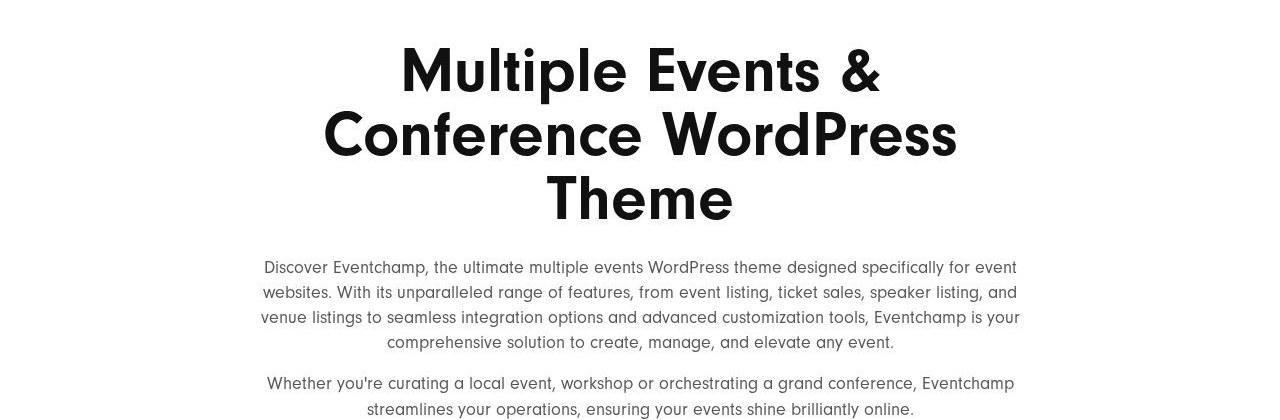
Eventchamp by GloriaThemes is made for sites that run many events, not just one. It has 5,257 sales and a 4.63/5 rating from 265 buyers on ThemeForest, and its last update was on October 29, 2026.
It is a good fit for event agencies, venues, and community groups. You can list events and venues, manage schedules, speakers, and sponsors, show events on a map, and add countdowns.
Tickets are sold through WooCommerce, with support for multiple ticket types plus offline sales and reservations. A built-in importer can also pull events from Facebook, Eventbrite, Meetup, Google Calendar, iCal, and XML.
Features
-
Event and venue listings
-
Schedule, speaker, and sponsor management
-
Multiple ticket sales with WooCommerce
-
Offline ticket sales and reservations
-
Event importer (Eventbrite, Meetup, Google Calendar, iCal and more)
-
Events map with Google Maps integration
-
Countdown slider and event counter
-
WPBakery Page Builder and Gutenberg compatibility
-
WPML and Polylang support
Pros
-
Best choice here for many events at once
-
Most-sold event theme on this list
-
Updated very recently (October 2026)
-
Event importer saves a lot of manual work
Cons
-
Lots of options, so setup takes time
-
Built on WPBakery, which some users find heavy
-
Overkill for a single one-day event
Pricing
Eventchamp costs $79 for a regular license on ThemeForest, a one-time payment with future updates and 6 months of support.
3 Shindig
Shindig by ProgressionStudios is a theme for one big event, like a concert, a festival, or a conference. It has 663 sales and a 4.20/5 rating on ThemeForest, and it was updated on August 14, 2026.
The live demo is laid out around a single event, with schedule, tickets, location, gallery, news, and sponsors sections. That makes it a quick way to launch a site for one date and one venue.
It is ecommerce ready, so you can sell tickets and merchandise with WooCommerce. It also includes Slider Revolution, unlimited color schemes, and video documentation.
Features
-
Single-event layout with schedule, tickets, and location sections
-
Sell tickets and merchandise with WooCommerce
-
Slider Revolution included
-
Unlimited color schemes
-
Demo content included
-
Translation ready
-
Video and written documentation
Pros
-
Focused design for one event
-
Lower price than most premium options here
-
Updated in 2026
-
Good for concerts and festivals as well as conferences
Cons
-
Not optimized for the Gutenberg block editor
-
No built-in speaker or session post types
-
Smaller buyer base (663 sales)
Pricing
Shindig costs $59 for a regular license on ThemeForest, a one-time payment with future updates and 6 months of support.
4 Eventim

Eventim by BoldThemes is a modern, photo-led theme for conferences and corporate events. It has 1,221 sales and a 4.15/5 rating on ThemeForest, with its latest update on June 15, 2026.
It ships with Event, Conference, Workshop, and Congress demos, including layouts for a large conference with many events and for a corporate event for employees. You build pages with the Rapid Composer page builder.
It also has an event countdown timer, a customizable quote calculator with an inquiry option, WooCommerce support, and WPML support.
Features
-
Event, Conference, Workshop, and Congress demos
-
Rapid Composer page builder
-
Event countdown timer
-
Quote calculator with inquiry form
-
WooCommerce support
-
WPML support and translation ready
-
4 header layouts including a sticky header
-
One-click demo importer
Pros
-
Clean, modern look
-
Demos for both public and corporate events
-
Updated in 2026
-
Quote calculator is handy for paid workshops
Cons
-
No custom post types for speakers or sessions
-
The item page does not describe a built-in ticketing system
-
Uses its own page builder instead of Elementor or blocks
Pricing
Eventim costs $59 for a regular license on ThemeForest, a one-time payment with future updates and 6 months of support.
5 Infinite

Infinite by GoodLayers is a multipurpose business theme with a Conference and Event demo. It has 13,703 sales and a 4.75/5 rating from 434 buyers, and it was updated on October 16, 2026.
It is the pick if you want one theme for both your event and your company site. You get 39 demos in total (5 main demos and 34 pre-built websites), and you can import any of them in one click.
Version 5 added PixeBuilder, a drag-and-drop page builder, and the classic GoodLayers Page Builder is still included. It fully supports WooCommerce and WPML.
Features
-
Conference and Event demo
-
39 demos in total, one-click import
-
PixeBuilder drag-and-drop page builder
-
Classic GoodLayers Page Builder included
-
WooCommerce fully supported
-
WPML fully supported
-
Synced sections and custom skin colors
Pros
-
Highest buyer rating of the premium themes here
-
Works for events and regular business sites
-
Updated in October 2026
-
Lots of demos to start from
Cons
-
No dedicated speaker, schedule, or ticket features
-
You need WooCommerce or a plugin to sell tickets
-
At $89, it costs more than the event-only themes here
Pricing
Infinite costs $89 for a regular license on ThemeForest, a one-time payment with future updates and 6 months of support.
6 ShowThemes
ShowThemes only makes WordPress products for events and conferences. Its Show Pro theme comes with a library of 8 event demos (Conference Pro, Khore, Meet, SpeakerSumo, Fudge 2.0, Open Event, Tyler, and Vertoh), and it was rebuilt for the block editor.
It is made for conference organizers who run serious events. The companion Conference plugin adds sessions with filters, dedicated speaker pages, and exhibitor and sponsor listings.
Ticket sales run through Eventbrite: you can add multiple ticket levels and track inventory, and Eventbrite handles payment and ticket delivery.
Features
-
Show Pro theme with 8 importable event demos
-
Rebuilt for the Gutenberg block editor
-
Sessions schedule with filters
-
Dedicated speaker pages
-
Exhibitor and sponsor listings
-
Eventbrite ticket integration with multiple ticket levels
-
Inventory tracking through Eventbrite
Pros
-
Built only for events, by an event-focused team
-
Theme and plugin work together
-
Block editor support
-
Unlimited-sites plan available
Cons
-
Yearly renewal required for updates and support
-
Tickets depend on Eventbrite and its fees
-
No public rating or review count to compare
Pricing
ShowThemes sells the Conference plugin alone for $79, Theme + Plugin for one website for $129, and an Unlimited plan (theme and plugin on unlimited websites) for $199. All purchases renew annually.
7 Event by WPLook
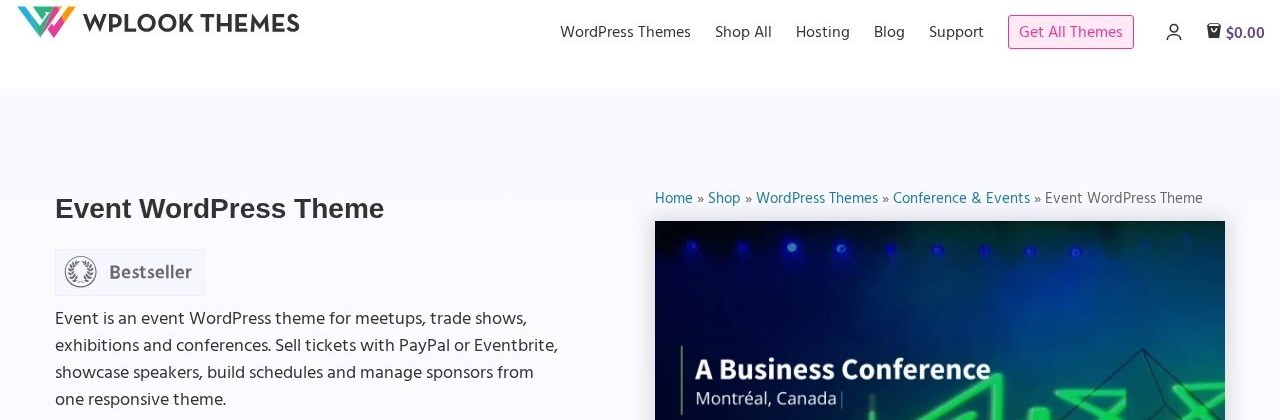
Event by WPLook is a conference theme for meetups, trade shows, exhibitions, and conferences. The current version is 4.2, updated on September 29, 2026, and it lists compatibility with WordPress 7.1.3.
It has 7 custom post types, so speakers, schedules, and sponsors each get their own place in the dashboard. You also get 11 widget areas and a child theme.
Tickets can be sold with PayPal or Eventbrite. The theme is built on Foundation Zurb and is multilingual ready with WPML.
Features
-
7 custom post types (speakers, schedules, sponsors and more)
-
PayPal and Eventbrite ticketing
-
Schedule builder
-
Sponsor showcase
-
Photo galleries
-
11 widget areas
-
Child theme included
-
Multilingual ready (WPML)
Pros
-
Recent update with WordPress 7.1 compatibility
-
Proper post types for event content
-
Two ticketing options
-
Lifetime plan available
Cons
-
Yearly license for updates and support
-
Only 2 public ratings so far
-
$99 per year costs more over time than a one-time ThemeForest theme
Pricing
Event costs $99 per year for a single theme, $199 per year for the All Theme Pack, or $699 for Lifetime Access.
8 Astra + The Events Calendar

The most flexible free setup is not a single event theme. It is the free Astra theme (1 million+ active installs, 4.9/5 from 6,552 ratings) with the free The Events Calendar plugin (600,000+ active installs).
Astra has 25 event website templates, a mix of free and premium, including free Conference Event, Event Landing Page, and Webinar templates. The Events Calendar then handles as many events, venues, and organizers as you need.
For tickets and RSVPs, add the free Event Tickets plugin (90,000+ active installs). Astra Pro adds extra customization options and premium templates if you need them.
Features
-
Free theme, free calendar, free tickets plugin
-
25 Astra event templates (free and premium)
-
Free Conference Event and Event Landing Page templates
-
Works with the block editor or Elementor
-
Unlimited events, venues, and organizers
-
RSVPs and tickets with Event Tickets
-
Astra updated October 29, 2026; The Events Calendar tested with WordPress 7.1.4
Pros
-
Costs nothing to start
-
Scales from one meetup to a full calendar
-
No lock-in to a theme-specific event system
-
Huge user base and frequent updates
Cons
-
More setup than a one-click event theme
-
Many event templates need Astra Pro
-
Event Tickets has a lower 3.5/5 rating on WordPress.org
Pricing
Astra, The Events Calendar, and Event Tickets are all free. Astra Pro (add-on only) costs $69 per year or $249 lifetime if you want the extra features.
9 Event Star
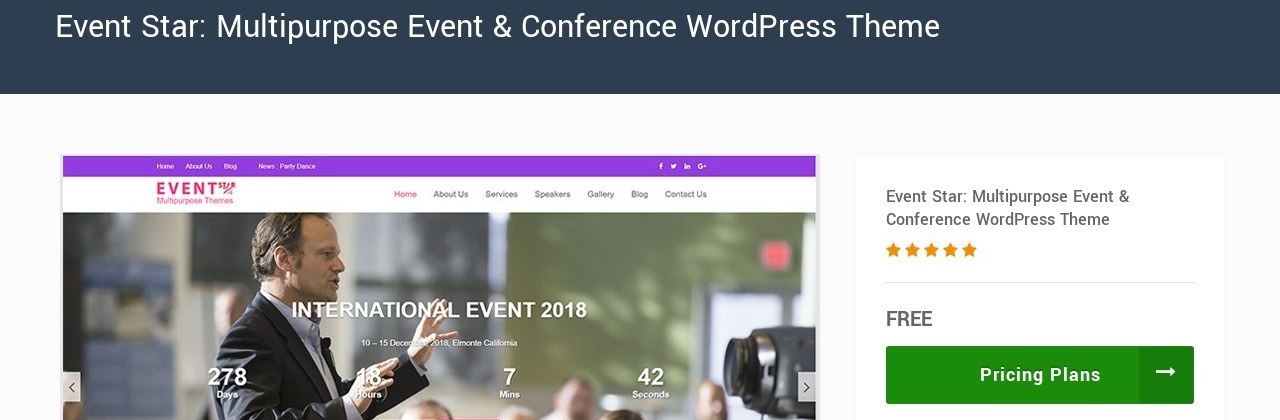
Event Star by Acme Themes is a free event and conference theme on WordPress.org. It has 700+ active installs and a 4.8/5 rating, and version 4.0.0 was released on July 16, 2026.
Its homepage has a feature slider with a countdown timer, plus sections for about, event schedule, speakers, FAQ, gallery, testimonials, blog, and contact.
It is a good pick for a small conference or meetup with no budget. Acme Themes also offers a Pro version on its own site.
Features
-
Feature slider with countdown timer
-
Event countdown widget
-
Event schedule section
-
Speakers and team section
-
FAQ, gallery, and testimonials sections
-
Theme options and custom colors
-
Translation ready
Pros
-
Completely free
-
Event homepage ready out of the box
-
Updated in 2026
-
Light and simple
Cons
-
No built-in ticketing
-
Small user base (700+ installs)
-
Fewer design options than premium themes
Pricing
Event Star is free on WordPress.org. Pro pricing is listed on the Acme Themes website.
How To Choose an Event WordPress Theme
The right theme depends on how many events you run and how you sell tickets. Here is what to check before you buy.
One event or many. For a single conference, a focused theme like The Keynote or Shindig is fastest. If you run lots of events, pick Eventchamp or pair any theme with The Events Calendar.
How you sell tickets. Some themes sell tickets with PayPal, some with WooCommerce, and some through Eventbrite. Pick the method you want first, because it decides your fees and checkout experience.
Speaker and schedule tools. Themes with real post types for speakers and sessions (The Keynote, WPLook Event, ShowThemes) are easier to update when your lineup changes.
Last update date. Check when the theme was last updated before you buy. Every ThemeForest and WordPress.org theme in this list was updated in 2026.
Page builder. Make sure you are happy with the builder the theme uses, whether that is the block editor, Elementor, WPBakery, or the theme’s own builder.
Pricing model. ThemeForest themes are a one-time payment with 6 months of support. Theme shops like ShowThemes and WPLook charge yearly, and some offer lifetime plans.
Multilingual events. If your audience speaks more than one language, look for WPML support, which most themes here include.
FAQs About Event WordPress Themes
What is the best WordPress theme for a conference?
The Keynote is the best overall pick for a single conference, with 5,152 sales and a 4.73/5 rating on ThemeForest. Eventchamp is better if you run many events.
Can I sell event tickets with a WordPress theme?
Yes. The Keynote sells tickets with PayPal, Eventchamp and Shindig use WooCommerce, and ShowThemes and WPLook Event connect to Eventbrite. With any theme, you can also use the free Event Tickets plugin.
Is there a free event WordPress theme?
Yes. Event Star is a free event theme on WordPress.org. For more flexibility, use the free Astra theme with the free The Events Calendar plugin.
Do I need an event theme or just an event plugin?
For a site about one conference, an event theme is faster to set up. For an ongoing calendar of events on an existing website, an event plugin on your current theme is usually the better choice.
Are ThemeForest event themes a one-time payment?
Yes. A regular license is a one-time payment that includes future updates and 6 months of support.
Conclusion
The best event WordPress theme depends on how many events you run and your budget. Here are our quick picks:
- Best overall: The Keynote
- Best for multiple events: Eventchamp
- Best for a single event: Shindig
- Best for conference organizers: ShowThemes
- Best free option: Astra + The Events Calendar
Building a site for a church or community group instead? Check out our lists of the best WordPress church plugins and the best Elementor themes.
Disclosure: Some links in this post are affiliate links. If you buy through them, we may earn a commission at no extra cost to you.

Leave a Reply